
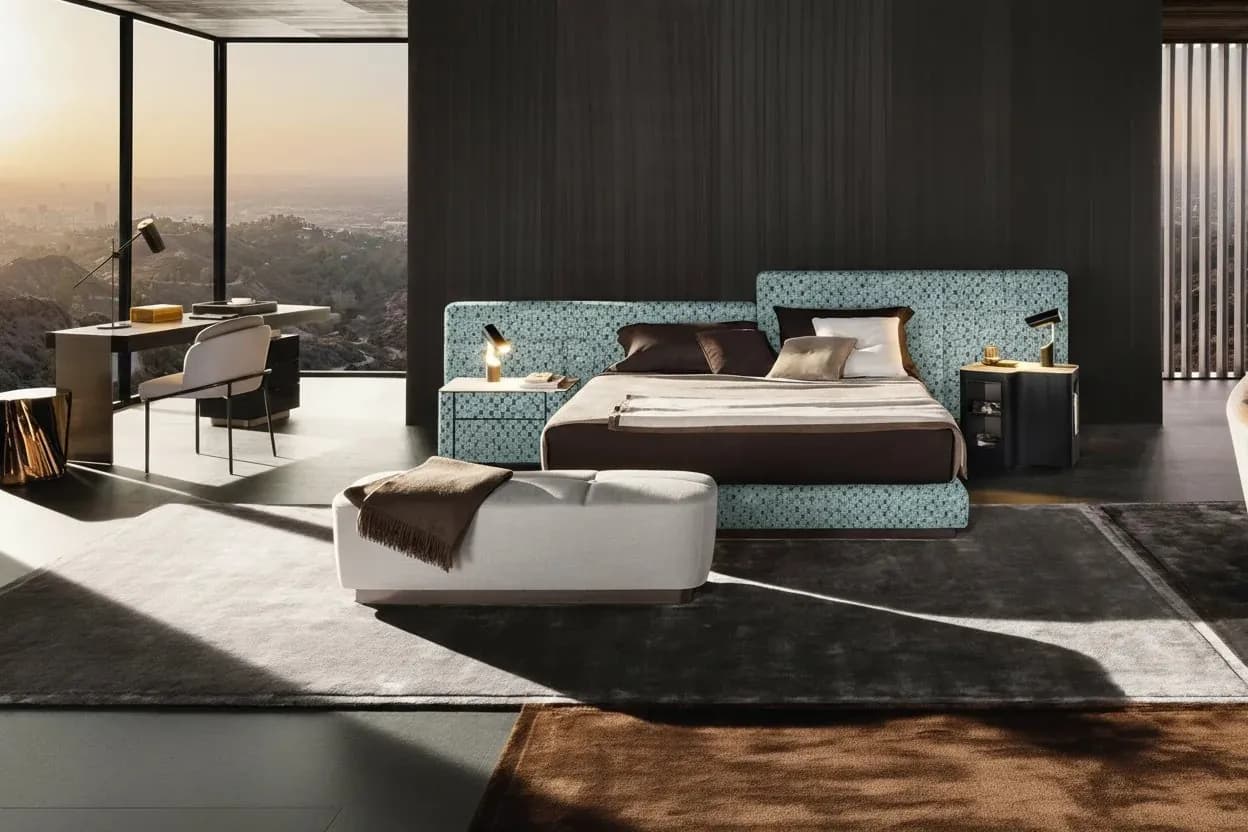
AI upholstery visualization
Try sofa fabric colors before requesting samples
Compare three sofa colors in a free upholstery fabric demo. Own-photo previews need sign-in and credits; prepare a supplier swatch request next.
Read the page →AI furniture visualizer
Switch sofa colors in the free demo below, or explore AI room-scene generation for your furniture photo.
No sign-in needed · Drag to compare, then try three preset colors
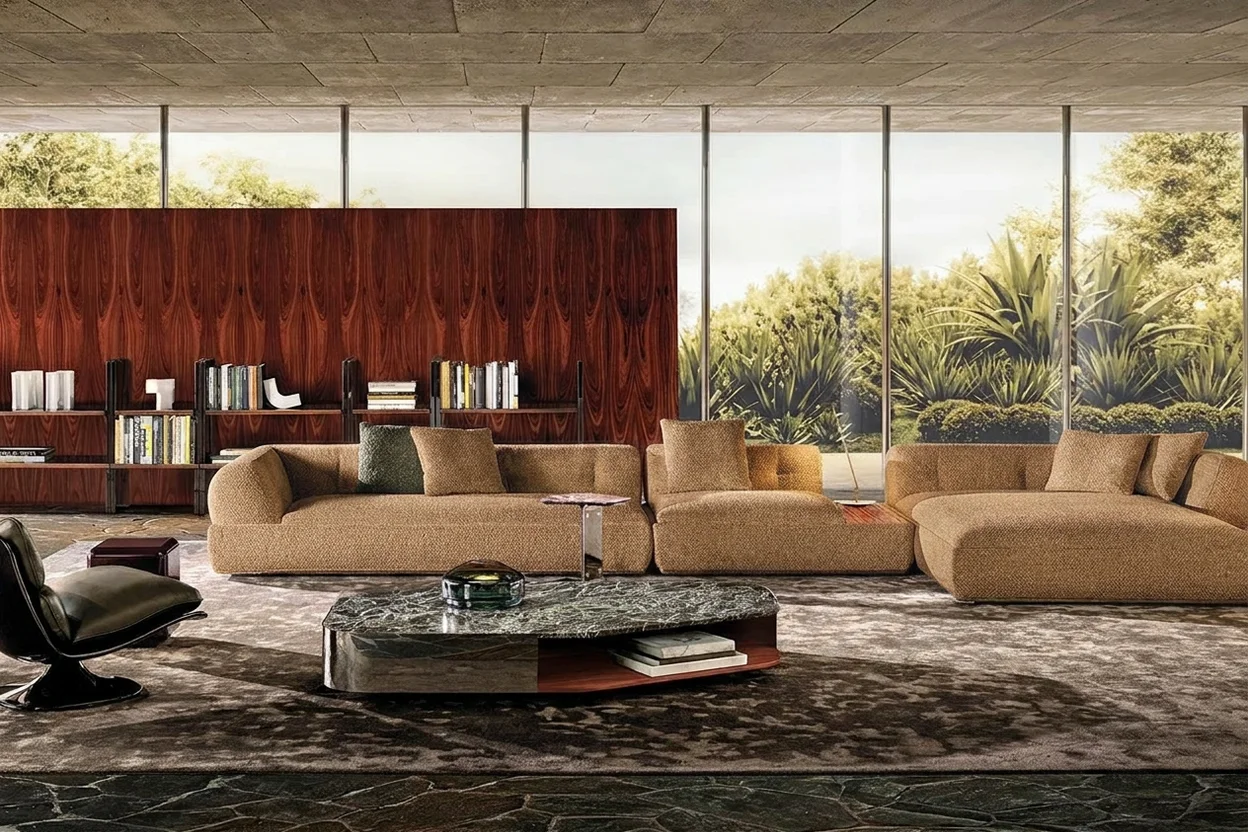
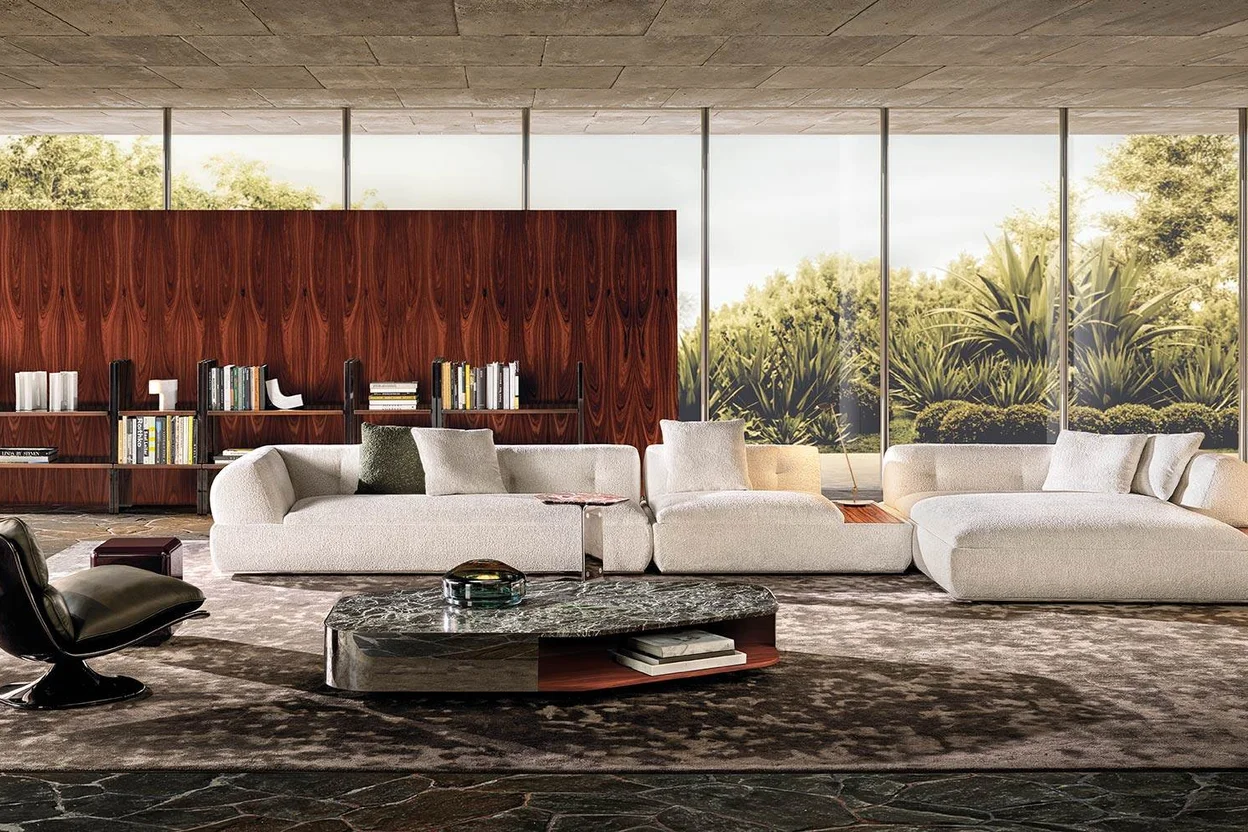
Pre-made AI examples, not live generation. Use images to shortlist ideas; confirm color, feel and production with physical samples.
Generating from your photo requires sign-in and available credits.
Choose a product workflow from the real business problem.
For an owned library or batch requirement, scope an enterprise furniture workflow rather than assuming public self-serve access.
AI upholstery visualization
Compare three sofa colors in a free upholstery fabric demo. Own-photo previews need sign-in and credits; prepare a supplier swatch request next.
Read the page →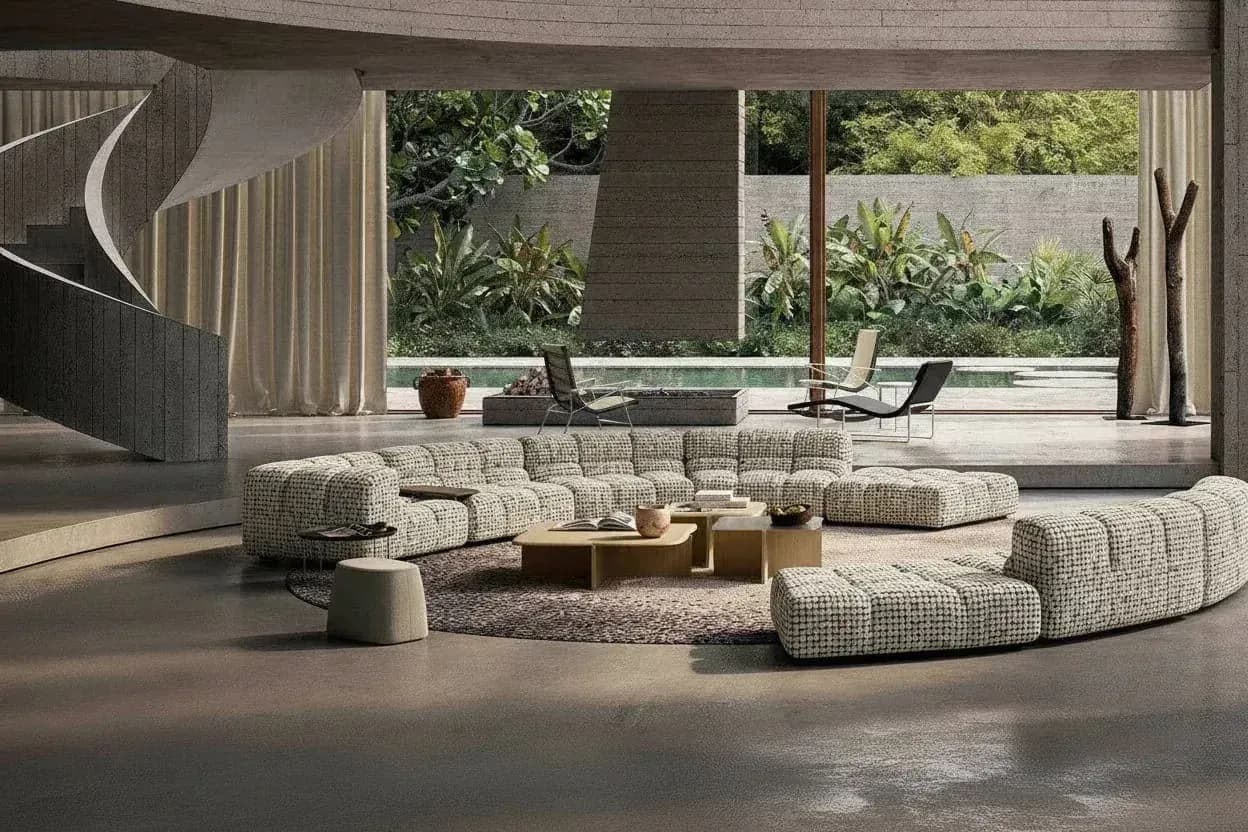
AI furniture scene generator
Explore room ideas for a furniture photo, try the free fabric demo and prepare swatch requests. Your own scene generation needs sign-in and credits.
Read the page →Enterprise furniture visualization
Try a free fabric demo and prepare supplier swatches before scoping a furniture pilot. Batch, library and API needs are reviewed with your team.
Read the page →Prepare, generate, and review furniture visuals step by step.
Preparing a sofa image? Follow the sofa fabric photography checklist before choosing a visual-preview workflow.
For a sofa, prepare a complete sofa input packet before comparing catalog directions.

How-to guide
Try three sofa fabric colors without sign-in, then prepare your photo for catalog fabric previews. Own-photo generation needs sign-in and credits.
Read the page →How-to guide
Prepare a furniture photo for AI room scenes, compare the free examples and shortlist fabric colors. Own-photo generation needs sign-in and credits.
Read the page →
Workflow comparison
Compare AI previews, Photoshop, 3D and reshoots, try three sofa colors free, then prepare swatches. Own-photo generation needs sign-in and credits.
Read the page →Furniture input guide
Photograph the whole item in even light, then try three sofa colors free and prepare swatch requests. Own-photo generation needs sign-in and credits.
Read the page →Fabric input guide
Capture a flat swatch with its fabric code, weave and direction, then try the free fabric demo. Keep real samples; owned-library setup needs a scope review.
Read the page →Furniture image QA
Review AI furniture images for shape, seams, fabric texture and lighting. Try the free fabric demo, then confirm color and feel with physical samples.
Read the page →Visualization and evidence
Try three sofa colors free to shortlist fabrics, then prepare a supplier swatch request for color and feel. Own-photo previews need sign-in and credits.
Read the page →
Upholstery decision guide
Compare upholstery texture, sheen and pattern direction. Record swatch identity, then check physical color, durability and production evidence.
Read the page →
Bounded pilot design
Try the no-sign-in fabric demo, then check photos and define a small furniture visualization pilot. Agree review criteria; do not skip physical sampling.
Read the page →Sofa upholstery guide
Compare Rust, Ocean and Forest in a free sofa fabric demo, then prepare supplier swatches. Own-photo generation needs sign-in and credits.
Read the page →Furniture lifestyle imagery guide
See a furniture photo-to-room example, check your product photo, and try the no-sign-in fabric demo before planning your scene.
Read the page →Furniture image production guide
Compare AI scene generation, retouching, 3D rendering, and physical photography by control needs, product truth, review effort, and publishing stage.
Read the page →Fabric-specific review
Review weave, pile, highlights and seams in sofa fabric previews. Compare velvet, chenille, linen and performance-fabric candidates without claiming material fidelity.
Read the page →Production cost decisions
Compare AI previews, 3D rendering and furniture reshoots by setup, revisions and usable images. Try fabric colors free, then plan physical samples.
Read the page →Manufacturer range planning
Plan a seasonal sofa colorway shortlist with fixed SKU sources, identified catalog fabrics, manual review states and a sales-to-sampling handoff. Not automatic batch production.
Read the page →Textile supplier decisions
Build a manually reviewed textile shortlist from identified references, then reconcile it with physical swatches. No screen calibration, private-library import or color approval is implied.
Read the page →Ecommerce image QA
Review existing product views and scene candidates for identity, light direction, contact, shadows and material continuity. No new-angle synthesis or automatic consistency guarantee.
Read the page →Sampling and upholstery handoff
Record real repeat measurements, direction and seam questions before sampling. Try the free color demo, then request swatches with the right identifiers.
Read the page →Curved-surface preflight
Check visible curves, seams and fabric direction on sectionals and chairs. Try three sofa colors free, then prepare supplier swatches for material checks.
Read the page →Input color-risk triage
Check whether glare, clipped detail or mixed capture conditions make a pale, high-sheen velvet or leather reference unreviewable. This is not measured color matching or material identification.
Read the page →Buyer selection preparation
Build a B2B fabric shortlist, try three sofa colors, and prepare a supplier swatch request with fabric codes, colors and delivery questions.
Read the page →Commerce image handoff
Match furniture images and real fabric close-ups by SKU, article code and version. Try the free color demo, then prepare supplier swatch requests.
Read the page →Bed component review
Review which visible bed components are upholstered and whether a candidate retains the headboard, rails and other product details. Appearance cannot prove mattress fit or assembly compatibility.
Read the page →Set identity review
Compare upholstery directions for one identified chair, try three sofa colors free, then request swatches. Check each dining-set variant separately.
Read the page →Contract brief handoff
Prepare a hospitality furniture visual brief with identified products, textile references, intended use and unresolved specifications. Concept imagery cannot prove durability, fire performance or compliance.
Read the page →Target boundary review
Identify intended soft upholstery and compare wood, metal, glass, trim and hardware against the source. This is a manual boundary review, not a guaranteed automatic mask or surface-preservation feature.
Read the page →BOM reference preflight
Check owner-supplied product, component and material identities before attaching a visual candidate to a BOM discussion. This is a manual reference check, not automatic BOM ingestion or manufacturing validation.
Read the page →Batch evidence review
Record identified samples, actual supplier requirements, comparison conditions and responsible decisions. Missing tolerances stay unknown; screenshots and AI previews are not physical color measurements.
Read the page →Camera-reference review
Keep actual source/view identities and known capture conditions separate from generated geometry. Different views may legitimately differ in perspective; a visual set is not a calibrated reconstruction.
Read the page →Asset handoff review
Prepare a manual furniture image handoff with SKU, source, version and rights references. Try the free fabric demo, then request identified swatches.
Read the page →Recliner state evidence
Review a recliner candidate against its actual supplied position and product variant. A convincing open or closed image does not demonstrate movement, safety, clearance or mechanism compatibility.
Read the page →Mesh versus solid evidence
Identify mesh and upholstered panels from real chair references. Try the free sofa color demo, then request swatches for the confirmed upholstered areas.
Read the page →Outdoor-use evidence
Separate cushion appearance in an outdoor scene from the actual material's declared use and evidence. A preview does not prove water, UV, mold, cleaning or weather performance.
Read the page →Measured-space handoff
Prepare banquette site dimensions, corners and clearances before ordering. Try fabric colors free and organize a supplier swatch request.
Read the page →Handedness identity
Record the supplied sectional variant and owner-declared left/right convention before comparing upholstery. A flipped image cannot establish an opposite-hand SKU or physical room fit.
Read the page →Before-upload permission
Confirm the actual source, relevant permissions and intended processing/use before submitting a supplier image. Public visibility or a software account is not evidence of editing or reuse permission.
Read the page →Buyer revision scope
Define one furniture image change, try three sofa colors free and prepare swatches for review. Own-photo generation needs sign-in and credits.
Read the page →Claim-to-evidence review
Compare image roles and listing statements with actual product and material evidence. A leather-looking surface, outdoor scene or published image cannot supply missing physical claims or measured outcomes.
Read the page →After-generation crop review
Check which product details a furniture crop shows at its final placement. Try the free fabric demo, then request swatches for physical color and feel.
Read the page →Isolation evidence review
Review product edges, openings and grounding against the actual source, then check the delivered background/file facts. This does not establish an automatic background-removal or transparent-export feature.
Read the page →Correction and withdrawal evidence
Identify affected references, actual channels and authorized owners before replacing a wrong-variant image. A planned correction is not confirmed withdrawal, synchronized replacement or publication proof.
Read the page →Scene-to-sale scope
Match advertised furniture and quantities to the sale record, try the free fabric demo, then request swatches. Confirm bundle items with the seller.
Read the page →Bilingual evidence review
Review bilingual product/material terms against actual supplier references, retaining names, codes and qualifiers. A translated label or convincing image does not prove composition or performance.
Read the page →Supplier namespace preflight
Retain supplier/brand, series, article/color and actual source version rather than assume a short code or color name identifies one material everywhere. This is manual identity preflight, not automatic matching.
Read the page →Print evidence handoff
Use the actual printer/receiver requirements and delivered-file facts before a print handoff. Screen appearance is not an approved print proof or physical textile color measurement.
Read the page →Actual-file evidence
Compare delivered pixels, format and crop with the receiver’s brief. Try the free fabric demo, then prepare supplier swatches for material checks.
Read the page →Single-item condition evidence
Keep photographs of the actual item distinct from generated restyle ideas. A cleaner-looking candidate does not prove a repair, actual condition, safety or completed refurbishment.
Read the page →Cover-construction evidence
Confirm actual cover construction, compatibility and supplied care instructions before making claims. A visible zipper or generated seam does not prove removability, washability or replacement fit.
Read the page →In-image marking truth
Check logos, product labels and badges against the original furniture image. Try the fabric demo and prepare supplier swatches for material checks.
Read the page →Concept versus completed evidence
Separate a generated proposal from actual site photographs and verified completion records. A convincing room scene cannot prove a completed installation, client outcome, budget or timeline.
Read the page →Retouch correction scope
Prepare a source-linked correction brief for an authorized retoucher, separating observed image defects from missing physical evidence. This is not automatic local editing or layered-file export.
Read the page →Before-upload data scope
Remove unnecessary people, documents and location clues from furniture photos. Try the free fabric demo before preparing your own reference and swatches.
Read the page →Option-validity evidence
Match furniture and fabric options to the supplier’s actual product list. Try the free color demo, then request swatches for confirmed combinations.
Read the page →Review-scope reconciliation
Keep the same asset/reference versions and each reviewer's actual decision scope before resolving conflicting feedback. A design preference cannot substitute for physical, technical or commercial approval.
Read the page →After-receipt identity review
Match received swatches to the requested supplier, article and color. Try the free fabric demo, then reconcile real samples before material review.
Read the page →Fabric-side identity
Use supplier-identified face/back and orientation records rather than infer the intended side from sheen or image attractiveness. A preview cannot determine the correct physical face or construction use.
Read the page →Substitution evidence gate
Separate an exploratory look-alike from an approved material substitution. Original/proposed article identity, actual requirements and relevant evidence must be reviewed; image similarity cannot establish equivalence.
Read the page →Evidence-gap escalation
Turn a held visual question into a source-linked capture brief with actual product details, required views and known limits. This is not a shooting service, fixed camera recipe or promise to avoid reshoots.
Read the page →Cross-view apparent grain
Compare each sofa variant and camera view with its own real reference before reviewing apparent texture direction. Different perspectives do not require identical pixels, and imagery cannot measure physical grain.
Read the page →Extreme-tone output review
Inspect whether pale and dark candidates retain source-backed seams, folds and boundaries under known comparable conditions. This is not calibrated color matching, detail recovery or automatic light locking.
Read the page →Piping versus main-panel review
Keep actual main-panel and trim references distinct when reviewing same-tone or contrast piping. A candidate does not establish independent trim control, exact color matching or a feasible sewing specification.
Read the page →Planned color-set retirement
Use actual supplier/assortment decisions to distinguish discontinued colors, campaign retirement and stock status. This manual image-set handoff does not remove catalog entries, synchronize channels or promise replacement stock.
Read the page →Studio-to-scene pair review
Compare actual SKU/article references and image roles before reviewing apparent color across studio and lifestyle images. Different lighting is not a controlled color test or proof of a physical match.
Read the page →Macro-to-whole reference review
Compare bouclé and mélange close-ups with a whole-sofa view, try three preset colors free, then request real swatches for texture and scale checks.
Read the page →Market-scoped packet review
Group dealer fabric references by market, audience and known permissions. Try the free fabric demo, then request swatches for the authorized collection.
Read the page →Indent-and-fold review
Compare actual buttons, channels, seams and visible depressions before judging a candidate's texture. Apparent naturalness does not prove physical cloth simulation, depth, tension or sewing feasibility.
Read the page →Initial-sample palette scope
Use actual initial-sample references and a supplied palette list to organize visual pre-review. One physical sample does not approve every color, enable automatic expansion or replace required material samples.
Read the page →Viewing-context expectations
Keep article identity, actual daylight/indoor roles and known capture limits with visual expectations. Two images do not establish a standard light, metamerism result or guaranteed physical color.
Read the page →Mix-reference naming scope
Keep actual main-product, pillow/cushion, material and image-role references in a manual naming handoff. File labels do not create per-object controls, an archive system or a verified sales bundle.
Read the page →Review-return classification
Link actual review feedback to the right source/candidate and classify visible issues manually. A correction list is not an automatic QA diagnosis, guaranteed repair, free retry or physical-material defect finding.
Read the page →Three-option comparison scope
Keep actual option identities, common source and view limits together before comparing three room candidates. A requested same view is not a locked-camera guarantee, automatic ranking or physical selection approval.
Read the page →Surface-highlight review
Check actual source roles and visible highlight transitions without inferring leather, fiber, coating or performance. Appearance review is not calibrated reflectance measurement or proof that materials are interchangeable.
Read the page →Source-light evidence triage
Inspect actual source-light artifacts and missing dark product details before generation. This qualitative keep/hold/capture decision does not identify light equipment, prescribe a universal threshold or recover hidden evidence.
Read the page →Incremental color-set review
Reconcile frame identity, photo versions and new fabric references, try three sofa colors free, then request swatches for each new colorway.
Read the page →Three-channel file handoff
Compare each receiver's real resolution/crop requirements with actual delivered file versions. A cross-channel list is not a universal DPI standard, automatic PDF export or guaranteed display/print fidelity.
Read the page →Leg/upholstery picture mapping
Keep actual frame, wood/metal-leg finish and upholstery references together before assigning a picture. Similar frames do not prove the same variant, allowed combination or independent leg-color editing capability.
Read the page →Reorder buyer-note scope
Tie any reorder shade statement to actual article/lot references and relevant evidence. Do not assume a difference is slight, expected or accepted, and do not turn a buyer note into physical sign-off or a rights waiver.
Read the page →Seasonal-scene version handoff
Map actual scene/file versions, permitted archive roles and intended destinations. A manual handoff does not delete assets, change redirects, revoke distributed copies or prove every seasonal image was replaced.
Read the page →Skirt-style identity review
Compare actual skirt, hem and fold references with the declared product version. A loose-looking candidate cannot establish removability, washability, measured fit or cloth-simulation accuracy.
Read the page →Configuration-coverage review
Keep actual required L/U/single arrangements, handedness and article identities with known image versions. A complete stated list does not approve arbitrary assembly, guarantee matching lots or generate all combinations.
Read the page →Nap-reference expectations
Keep owner-provided pile direction, permitted handling and known photo conditions separate from generated appearance. Shadow changes do not identify fiber, measure touch or prove a universal nap behavior.
Read the page →Two-track review handoff
Link actual sample/receipt references and digital product versions without conflating delivery, visual preference and physical sign-off. This checklist does not book logistics, create e-signatures or approve materials automatically.
Read the page →Storage exterior/interior role review
Keep actual state, exterior-upholstery, lining and visible-hardware roles separate. Two images do not prove concealed construction, storage capacity, safe operation or automatic state generation.
Read the page →Seat/back color-role allocation
Map actual seat/back article assignments and declared primary/secondary roles before reviewing their boundary. A picture does not supply physical proportions, supplier approval or independent two-region controls.
Read the page →Derived-image color provenance
Trace actual master, crop/export and delivered versions before comparing appearance across a banner and full image. Same-source intent does not prove identical color processing or calibrated device appearance.
Read the page →Receiver view-role coverage
Map actual required image roles, names and dimensions to source-backed product versions. A prepared packet does not invent retailer rules, generate missing views or guarantee upload acceptance.
Read the page →Cross-factory source decision
Keep actual factory/sample batches, image-source ownership and authorized scope separate. The same SKU or a batch note cannot prove identical frames, waive misleading differences or create a visual tolerance.
Read the page →Edition-specific reference review
Keep actual issuer declarations, old/new article editions and asset roles traceable. A repeated color code or archive label does not prove the same material, current rights or approval to market old imagery as new evidence.
Read the page →Choose a role-specific workflow with explicit inputs, reviewers, handoff records, and boundaries.
Manufacturer workflow
Plan upholstery variants from one SKU. Try three preset sofa colors free, then prepare supplier swatches. Own-photo previews need sign-in and credits.
Read the page →Textile-brand workflow
Try a three-color furniture demo, then prepare identified swatches for collection review. Your own library needs rights and a separate scope evaluation.
Read the page →Retail and ecommerce workflow
Explore fabric colors and room examples before planning product imagery. Prepare real swatches; own-photo generation needs sign-in and credits.
Read the page →No unlimited or universally free generation is promised. Public pages explain the product and methods; generation requires sign-in and available credits. Check the current packages, included usage and purchase terms in the product. The word free in a search query does not establish account credits or free retries.
A generated image helps compare visual directions but can change weave, pile direction, highlights, seams and apparent repeat. Catalog names do not prove fiber or performance, and performance-fabric labels are not a single specification. Review the source, physical swatch and supplier records; the preview is not color or production approval.
Not universally. AI can support bounded visual candidates; evaluate 3D when a qualified model and controlled views or geometry are required, and photography when actual product evidence is needed. Compare preparation, all attempts, human review and rework. XinVise has not published a controlled benchmark showing one method always costs less.
Prepare one complete, clear furniture photo with the necessary rights, then select an available catalog fabric in the public flow. Owned collections, batch workflows and APIs require separate identity, rights, quality and integration-scope evaluation. Preparing swatch photographs does not enable public self-serve collection import.
Check the input and intended use: review texture and highlights by fabric, then compare cost evidence for AI, 3D and reshoots.
Prepared examples do not generate your photo. Own-image generation needs sign-in and available credits.
Google Analytics loads by default on public pages. In the EEA, UK, Switzerland, Brazil and Japan, analytics storage defaults to denied; elsewhere it defaults to granted with session cookies. Google determines the region. Denied mode may send cookieless pings; it does not mean zero network requests. Advertising storage, ad user data and ad personalization remain denied, even if you allow analytics. Your saved allow or decline takes priority. Decline / turn off stops our Analytics collection and removes this site’s Analytics cookies; already loaded scripts and issued requests cannot be recalled. No account identifiers, form contents, URL queries or fragments are sent. Google processes the data, potentially outside your region. You can change or withdraw your choice here at any time.
Google privacy policy